
-
About
Marist Fall 2026 Open House
Join us for our final Fall Open House and see Marist for yourself. Explore our stunning riverfront campus, learn more about academics and admissions, and get a firsthand look at life as a Red Fox. Along the way, you'll hear from students, faculty, and staff about the opportunities, connections, and experiences that make Marist special. Register Below:
About
-
Academics
Marist Fall 2026 Open House
Join us for our final Fall Open House and see Marist for yourself. Explore our stunning riverfront campus, learn more about academics and admissions, and get a firsthand look at life as a Red Fox. Along the way, you'll hear from students, faculty, and staff about the opportunities, connections, and experiences that make Marist special. Register Below:
Academics
-
Admission & Financial Aid
Marist Fall 2026 Open House
Join us for our final Fall Open House and see Marist for yourself. Explore our stunning riverfront campus, learn more about academics and admissions, and get a firsthand look at life as a Red Fox. Along the way, you'll hear from students, faculty, and staff about the opportunities, connections, and experiences that make Marist special. Register Below:
Admission & Financial Aid
-
Student Life
Marist Fall 2026 Open House
Join us for our final Fall Open House and see Marist for yourself. Explore our stunning riverfront campus, learn more about academics and admissions, and get a firsthand look at life as a Red Fox. Along the way, you'll hear from students, faculty, and staff about the opportunities, connections, and experiences that make Marist special. Register Below:
Student Life
- Athletics

An image of the Server Room
Information Technology
Frequently Asked Questions (FAQs)
- Help! Why can't I find the ReACT application?
- When searching your respective mobile store (Apple App or Google Play) you must ensure you are searching for the entire phrase ReACT ASPG. The icon looks like this:
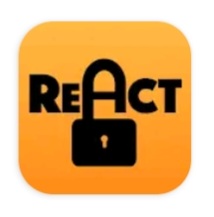
- When searching your respective mobile store (Apple App or Google Play) you must ensure you are searching for the entire phrase ReACT ASPG. The icon looks like this:
- Why don't I see SSO as an option to sign in?
- Single-Sign On (SSO) is below the box where you would type in your email address. SSO will only work if you remember your password.
- Single-Sign On (SSO) is below the box where you would type in your email address. SSO will only work if you remember your password.
- Will I have to agree to the Acceptable Use Policy (AUP) ever time I use ReACT?
- No, you only will be required to agree to the Acceptable Use Policy (AUP) upon your first interaction with ReACT.

- No, you only will be required to agree to the Acceptable Use Policy (AUP) upon your first interaction with ReACT.
- Help! Why am I unable to update my profile?
- If your Marist account was created before June, 2022 and you did not have a profile set up, you will need to reach out to the Marist Help Desk by email (HelpDesk@marist.edu) or telephone (845-575-4357). You will need to provide your Marist Account address or your Campus Wide ID (CWID) for them to better assist you.
- If your Marist account was created before June, 2022 and you did not have a profile set up, you will need to reach out to the Marist Help Desk by email (HelpDesk@marist.edu) or telephone (845-575-4357). You will need to provide your Marist Account address or your Campus Wide ID (CWID) for them to better assist you.


51 Fulton image